
Biography
Their life story in their family's words — where they were from, what they did, and what they were known for.
Digital memorial
Keep a loved one's life story, photographs, important moments, family connections and tributes in one digital memorial — managed and shared by your family, with the page set to public, role-controlled or private and PIN-protected.
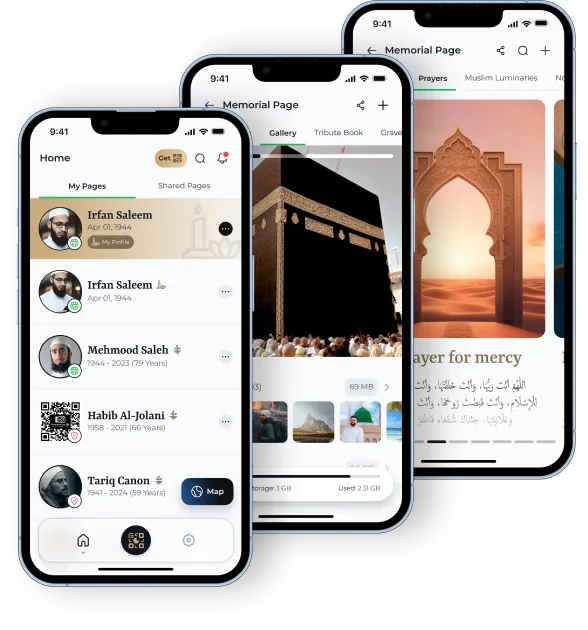
A digital memorial — also called an online memorial or a memorial website — is an online space that preserves the life of someone who has died. Depending on the provider, it can hold their life story, photographs, significant events, family connections, tributes and information about their resting place, kept together in one place the family controls.
You can see one finished, in full, on our example memorial page.
Moments by QR provides a digital Memorial Page for someone who has died, and a Legacy Page for a living person. A Memorial Page is structured into Overview, Biography, Timeline, Gallery, Family Tree, Tribute Book and Grave Location, so a life is recorded in full rather than reduced to a single post.
It is managed in the Moments by QR app, and the page can be reached from a physical 5cm × 5cm QR plaque at the resting place — how that link from grave to phone works is covered in QR memorials.
Every Moments by QR Memorial Page is built from the same six sections.
Their life story in their family's words — where they were from, what they did, and what they were known for.
The moments that shaped a life, placed in order so the whole story reads clearly.
Photographs and media gathered in one place instead of scattered across phones and drives.
Family connections recorded so later generations can see how they belong to the story.
Messages and tributes from those who knew them, kept together rather than lost in a feed.
Information connected with their resting place, so visitors can find it without asking around.
With Moments by QR the process is five steps, done in the app.
Set up a memorial page for the person you are remembering.
Add the biography, photographs, tributes and grave location.
Place events on the timeline and record family connections.
Choose whether the page is public, role-controlled or PIN-protected.
Share it with family and return to it — with On This Day and custom reminders.
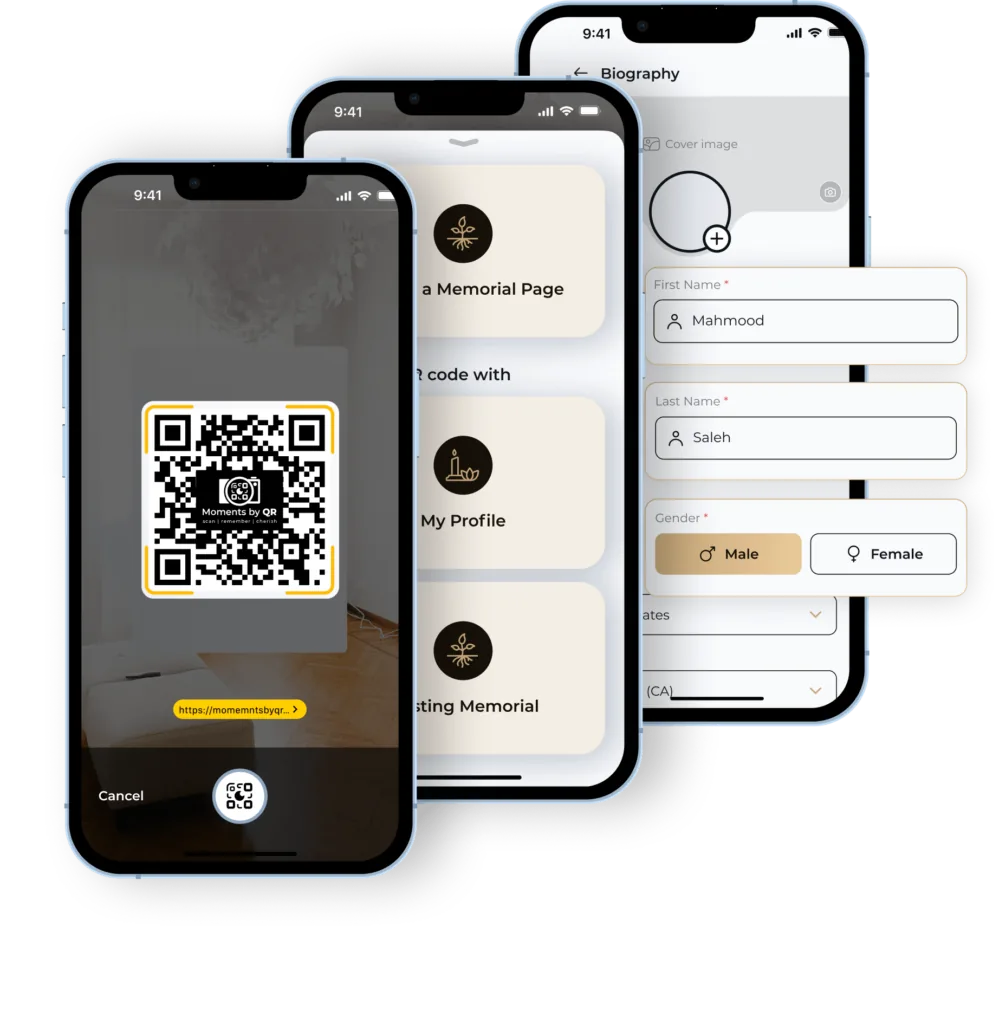
Yes. With Moments by QR a page can be public, public with relevant role and access controls, or private and PIN-protected — and the family decides which.
Public. Anyone who scans or opens the link can view the memorial.
Public with role/access controls. The page is viewable, with access managed through the roles set up by the family.
Private / PIN-protected. The memorial opens only for people who have the PIN.
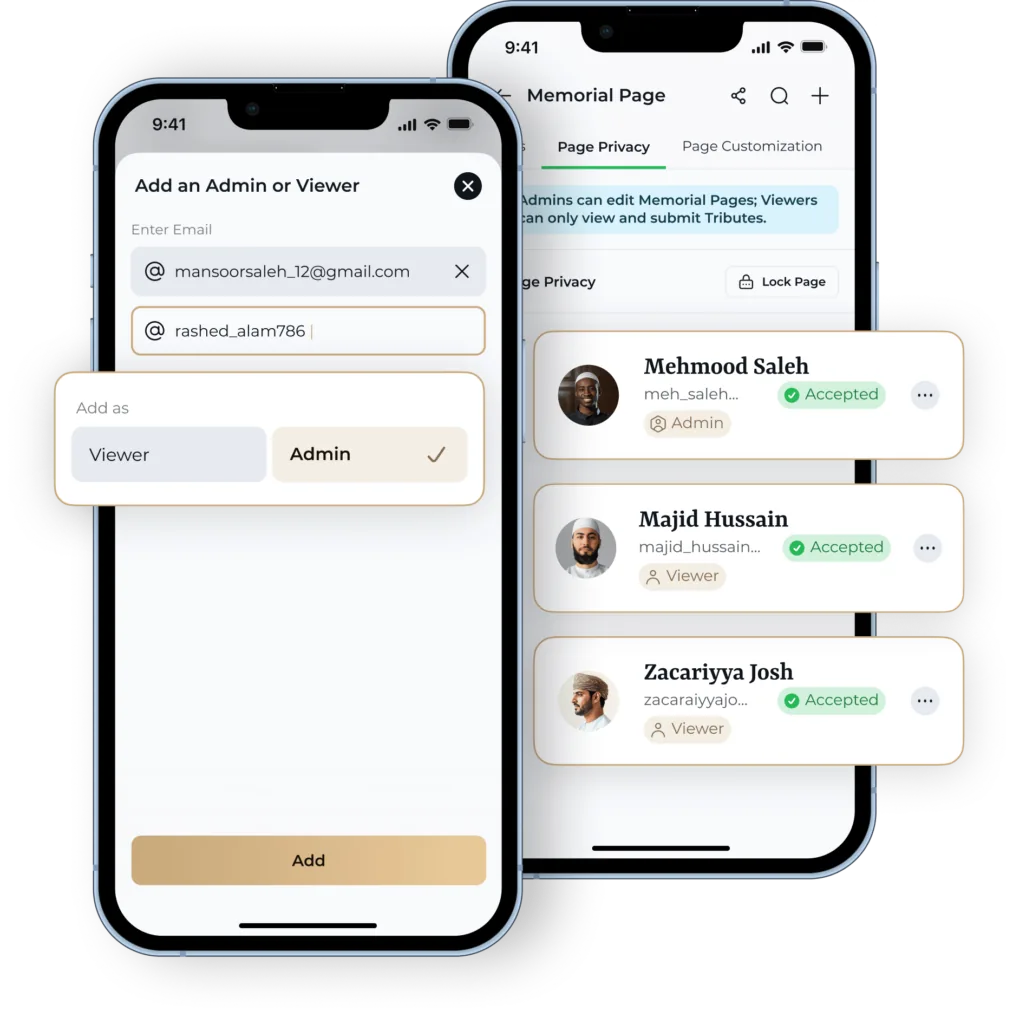
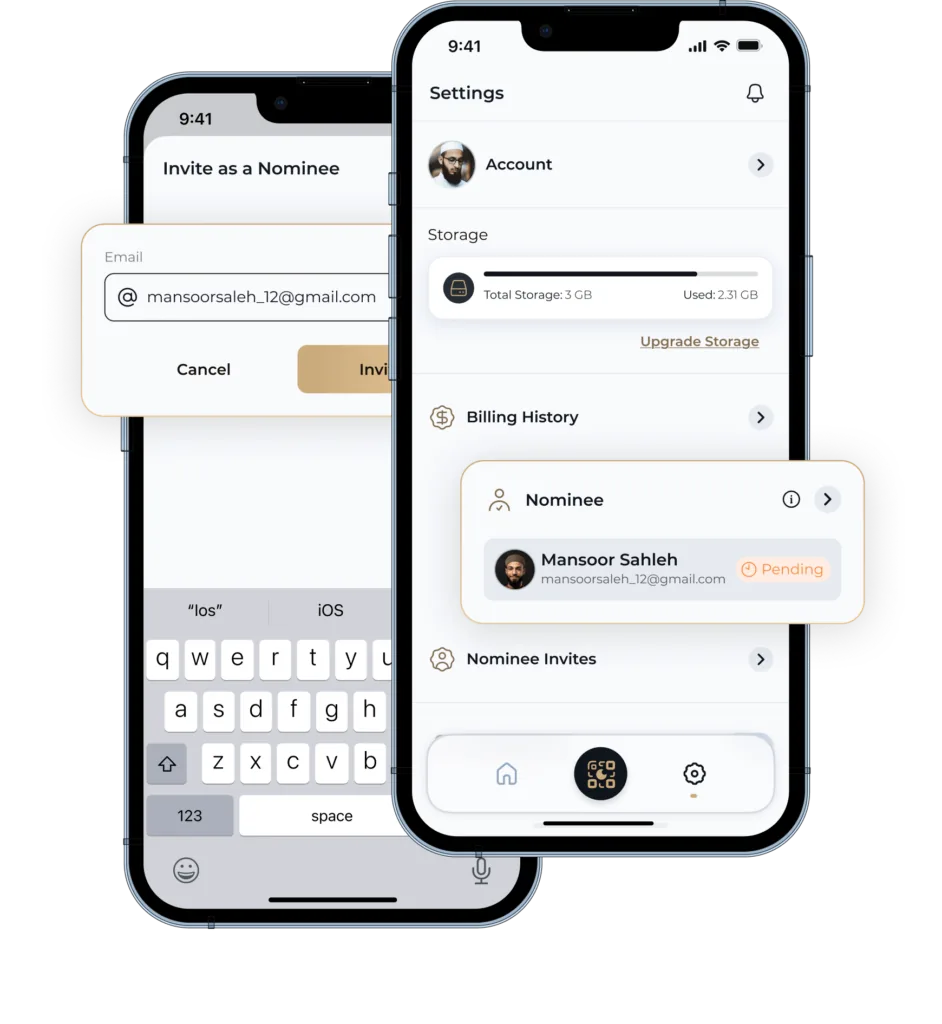
Moments by QR uses four roles — Owner, Delegate, Contributor and Nominee — set up in the app.

It can. A QR memorial plaque placed at a resting place links the physical location to the digital memorial: someone visiting scans the code and the memorial page opens on their phone. Moments by QR supplies a 5cm × 5cm QR plaque in a matte black finish.
Permission matters as much as the plaque. Cemeteries, burial grounds and councils each set their own rules about what may be fixed at a grave, so check with the burial ground before ordering anything.
A memorial page works on its own, with or without a plaque. See the QR plaque
Moments by QR is designed around Muslim families: how a life is recorded, how family connections are kept, how a resting place is found, and how privacy is handled. The memorial is a record of a person's life and the memories their family wish to keep — it is not religious guidance, and nothing on this page is offered as a religious ruling.
What changes for a Muslim family is explained in what a Muslim digital memorial is, and who can see and manage the record in privacy and family control.
A memorial is meant to outlast the decision. These are the seven questions worth asking any provider, including us.
01
Can you decide who sees the page — publicly, by role, or behind a PIN?
02
Can more than one family member be involved, rather than everything sitting with one person?
03
Does it hold a full life — biography, timeline, gallery, family tree, tributes and resting place — or just a photo and a paragraph?
04
Is the price a clear one-off, or a subscription that must keep being paid for the memorial to stay up?
05
Can the memorial be reached from the resting place itself, or does it only exist online?
06
Ask what happens over decades: who can take over the page, and what the provider commits to in writing.
07
Ask directly who owns the content, whether you can get a copy of it, and what happens if you stop using the service. Insist on written answers.
It depends on the provider's model. Some online memorials are free and supported by donations or fundraising, some charge a yearly subscription to keep the page up, and some are a single one-off payment. The model matters more than the headline price, because it decides what happens to the memorial if payment ever stops.
Moments by QR is the one-off kind: £79.99 once, which includes the QR plaque and a Lifetime Licence — there is no annual fee to keep the memorial online. The questions worth putting to any provider about cost and longevity are in how to choose a digital memorial.
A Memorial Page with their biography, timeline, gallery, family tree, tributes and grave location — set to public, role-controlled or PIN-protected by your family.
How much does a digital memorial cost? With Moments by QR it is a one-off £79.99, which includes the QR plaque and the Lifetime Licence.
Moments by QR states product facts about its own service from first-party product information, cites official primary sources for anything statutory or operational, and leaves questions it cannot evidence visibly unanswered rather than guessing.
How a scannable plaque at the resting place opens the memorial behind it — and what to ask the burial ground first.
Why plain graves and families spread across countries change what a memorial has to do.
Every step, from creating the memorial to remembering someone years later.
Who can see a memorial, who manages it, and what happens to it over time.
A seven-question checklist to put to any digital memorial provider.