
Skip to content

Buyer's guide

How to Choose a Digital Memorial

Seven questions worth answering before you commit to any provider — including the ones most providers would rather you didn't ask. We've included how Moments by QR answers them, so you can hold us to the same standard.

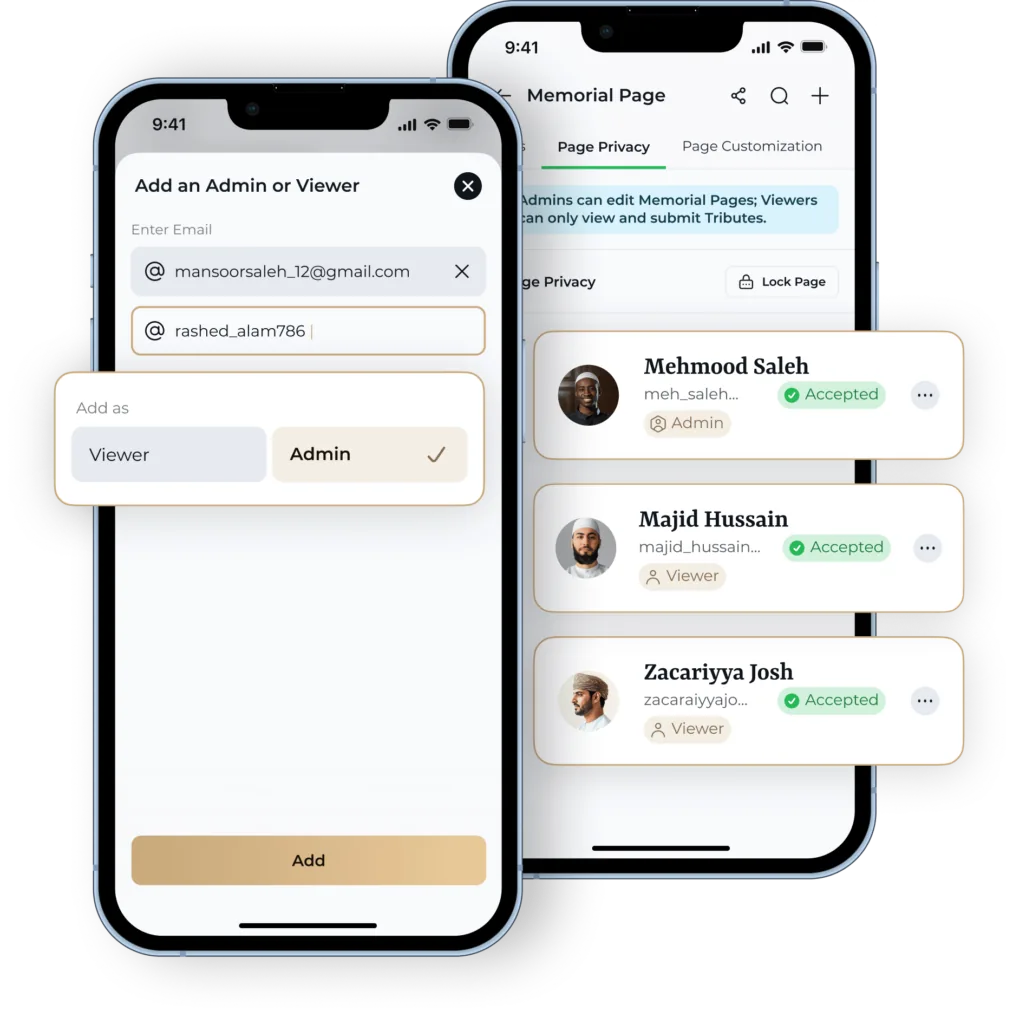
Moments by QR memorial settings shown in the app

How do you choose a digital memorial?

Judge it on seven things: whether the cost is one-off or recurring, whether the family controls privacy, whether more than one person can manage it, what the memorial actually holds, whether it connects to the resting place, what happens to it in twenty years, and whether it helps you remember rather than only store.

If you are still deciding what kind of thing you want, start with what a digital memorial is or how they work.

The seven-question checklist

Take these to any provider, not just this one.

  1. Question 1: Is it a one-off cost or a subscription?

    A memorial is meant to outlast the person paying for it. A recurring fee means the record depends on someone continuing to pay — and on someone remembering to.

    Ask the provider

    • Is the price one-off or recurring?
    • What happens to the memorial if payment stops?
    • Are there separate charges for extra photos, extra people or extra storage?

    Moments by QR: £79.99 one-off, with a Lifetime Licence.
  2. Question 2: Who can see it — and who decides?

    Some families want a memorial the whole community can visit. Others want a private record. A provider that only offers one of those decides something that isn't theirs to decide.

    Ask the provider

    • Can the memorial be made fully private?
    • Is there PIN or password protection?
    • Can the setting be managed by the family in the app?

    Moments by QR: Three modes: public; public with role and access controls; private and PIN-protected.

  3. Question 3: Can more than one person look after it?

    If a memorial is tied to one login on one phone, it is one lost password away from being unreachable. Shared roles are what make it survivable.

    Ask the provider

    • Can other family members be added?
    • Are there defined roles, or just a shared password?
    • Can someone else take over managing it?

    Moments by QR: Four roles — Owner, Delegate, Contributor and Nominee — set up in the app.

  4. Question 4: What does the memorial actually hold?

    Many memorial pages are effectively an obituary and a photo. That records a death. A structured memorial records a life — and gives the family prompts for what to write down while people still remember it.

    Ask the provider

    • Is there a place for a full biography, not just dates?
    • Can family relationships be recorded?
    • Is there somewhere for others to leave tributes?

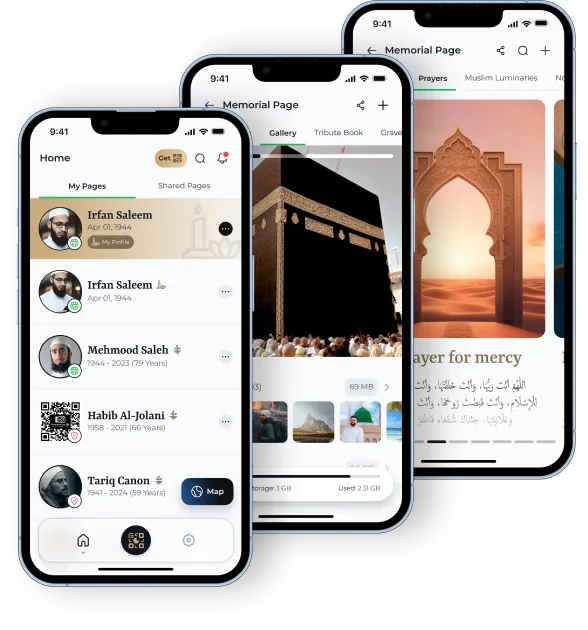
    Moments by QR: Six sections: Biography, Timeline, Gallery, Family Tree, Tribute Book, Grave Location.

  5. Question 5: Can it be connected to the resting place?

    A memorial that nobody can find is a memorial nobody visits. A grave connection matters most for families who live far from where a relative is buried.

    Ask the provider

    • Is the grave location recorded in the memorial itself?
    • Is a QR plaque available, and is it optional?
    • Will the burial ground permit a plaque at all?

    Moments by QR: Grave location is a built-in section; an optional 5cm × 5cm matte black QR plaque links to the memorial.

  6. Question 6: What happens in twenty years?

    This is the question most providers answer least clearly, and the only one that really tests whether something is a memorial or a web page.

    Ask the provider

    • Is the licence lifetime, or a term?
    • Can the content be added to indefinitely?
    • Is there a plan for handing the memorial to the next generation?

    Moments by QR: Lifetime Licence.

  7. Question 7: Does it help you remember, or only store things?

    Storage is passive. Most families do not return to a page unprompted — the memorial that gets used is the one that comes back to you.

    Ask the provider

    • Does anything resurface memories over time?
    • Can the family set their own reminders?

    Moments by QR: On This Day resurfaces moments on their anniversary; custom notifications are set by the family.

What should make you hesitate?

Anything that quietly makes the memorial temporary, public by default, or dependent on one person. Those are the three ways a memorial stops being one.

  • A price that looks one-off but renews annually for 'hosting'.
  • No way to make the memorial private.
  • A single login shared by the whole family.
  • A page that is really just an obituary with a comment box.
  • A QR plaque sold with no mention of asking the burial ground.
  • Vague answers about what happens if the provider closes.

Does the provider understand your family?

Practices around burial and remembrance differ enormously. A memorial that assumes a public tribute wall, a headstone photograph or a Western funeral format will fit some families badly.

For Muslim families in particular, plain graves and relatives spread across countries change what a memorial has to do — what that means in practice. And if you are considering a plaque at the graveside, check the burial ground's rules before you buy anything: QR memorials and grave permission.

How Moments by QR answers the checklist

One payment, family-controlled privacy, four management roles, six structured sections and an optional QR plaque at the resting place.

  • £79.99 one-off
  • Lifetime Licence
  • Public, role-controlled or private and PIN-protected
  • Optional QR plaque, 5cm × 5cm, matte black
A Moments by QR memorial page open in the app

Keep reading