
Public
The memorial is openly reachable. Suited to a well-known figure, a community remembrance, or a family who want anyone who knew the person to be able to visit and read.
Trust
The honest answer is that it depends on the provider — and often on a visibility setting that is easy to miss before you pay. Here is how visibility, family roles and QR scanning work on a Moments by QR memorial, and what to ask anyone else.
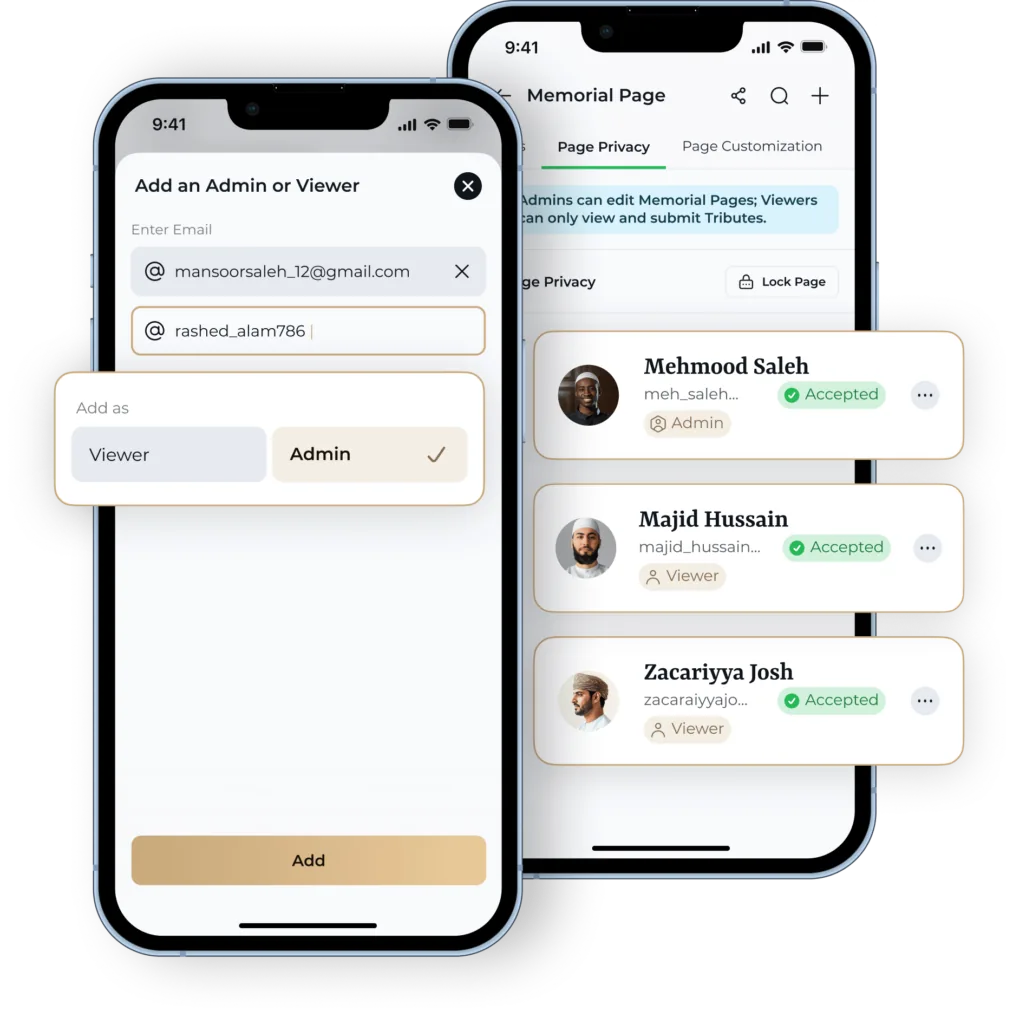
Not necessarily. Some memorial platforms publish every page openly and rely on search traffic to grow; others let the family decide. On Moments by QR the visibility is a setting: a memorial can be public, public with role and access controls, or private and PIN-protected.
Before you commit to any provider, find out which of those it offers. A platform with a single public mode has decided something on your behalf. The example memorial shows how the privacy setting appears on a finished page.
The memorial is openly reachable. Suited to a well-known figure, a community remembrance, or a family who want anyone who knew the person to be able to visit and read.
The memorial is reachable, but management and contribution sit behind the roles the family has assigned rather than being open to everyone who finds it.
The memorial is protected by a PIN, so reaching the page is not the same as being able to open it. This is the mode families choose when the record is meant for relatives only.
Yes — the private mode is PIN-protected, so the memorial is not open simply because someone has the link or has scanned a code. Without the PIN the contents are not available to them.
We describe that as access control, and nothing more. We are not making a claim about encryption, security certification or auditing, because none is established — and a memorial platform that implies one it cannot evidence should be treated with suspicion.
A memorial is not tied to one account. Four roles exist — Owner, Delegate, Contributor and Nominee — and they are assigned and managed within the app by the family.
The practical point is that more than one person can be involved. Where a memorial depends on a single login, it usually stops being maintained the moment that person is unavailable — the most common way a family record quietly disappears.
What we are not publishing: a matrix of exactly which actions each of the four roles can take. Those permissions are not confirmed to the standard we are willing to put in writing on a page about access control, so the page names the roles and stops there. Check the current behaviour in the app before you rely on it.
Scanning takes the phone to the memorial that the code is linked to. What the person can then see follows the memorial's privacy setting — a scan does not override it, so a private, PIN-protected memorial still asks for the PIN.
The plaque itself is a 5cm × 5cm matte black QR plaque and is optional — a memorial works perfectly well without one. If you are considering fitting one at a graveside, the practical side is covered in QR codes on graves, and permission in cemetery rules.
Written for any provider, not only this one.
Set the memorial public, role-controlled, or private and PIN-protected — and change your mind later if the family's wishes change.
Moments by QR states product facts about its own service from first-party product information, cites official primary sources for anything statutory or operational, and leaves questions it cannot evidence visibly unanswered rather than guessing.
How long a memorial lasts, who owns the content, and what if a provider closes.
The trust hub: privacy, control, longevity and what we do not claim.
What a Memorial Page holds and who it is for.