
Biography
Their life story, written by the people who knew them.
QR memorial
A QR memorial pairs a scannable plaque at a resting place with a digital memorial. The plaque sits where the person is buried; the memorial behind it holds their biography, photographs, timeline, family connections and tributes — with your family deciding who can see it. QR is the access technology; digital remembrance is the value behind it. The memorial can also be reached online without a graveside plaque.
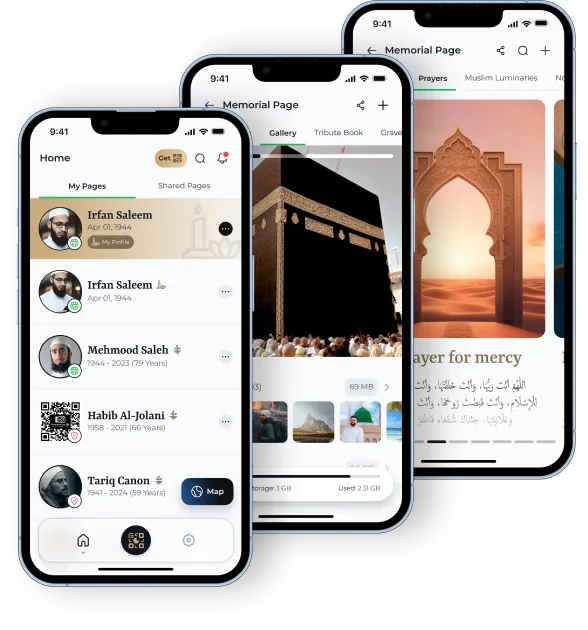
A QR memorial is a scannable QR plaque placed at a resting place that opens a digital memorial for the person buried there. Scanning it with a phone brings up the memories, photographs and life information their family has chosen to preserve, instead of only a name and two dates.
The plaque is the doorway; the memorial is the thing worth keeping. For the wider category — what a memorial page holds and how it is managed — see digital memorials. To see what a visitor actually gets after a scan, there is a finished example memorial.
In three steps: the memorial is created in the app, a QR plaque is connected to it, and anyone who scans that plaque at the resting place is taken to the memorial on their phone.
A family sets up the Memorial Page in the Moments by QR app and adds the person's story, photographs and grave location.
A 5cm × 5cm matte black QR plaque is linked to that memorial, then placed at the resting place with the burial ground's permission.
Someone at the graveside points a phone camera at the code and the memorial opens — subject to the privacy setting the family chose.
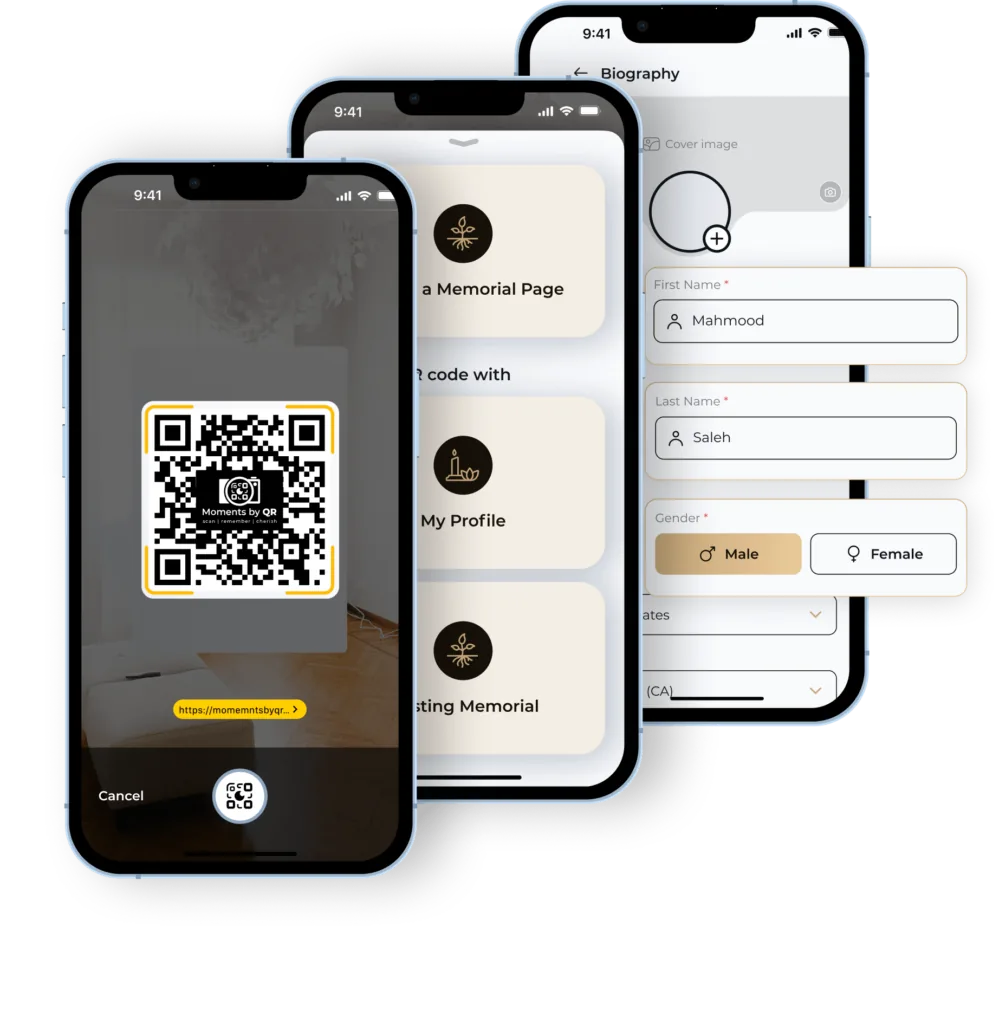
Step by step, in more detail, on how digital memorials work.
The memorial page opens on the visitor's phone. With Moments by QR that page is built from the same six sections every time, so a visitor sees a life recorded in full rather than a single photograph.
Their life story, written by the people who knew them.
The moments that shaped the life, placed in order.
Photographs and media held together in one place.
Recorded family connections across generations.
Messages left by those who came to remember.
Resting place information, so the grave can be found again.
At the resting place on a headstone or marker where the burial ground permits it, on a memorial object such as a plaque or bench kept by the family, or at home — the memorial does not depend on the plaque being outdoors at all.
Whether you may place one at a grave is a separate question, decided by each burial ground — that is covered in full in how a QR code on a grave works and cemetery permission for a QR code on a grave. Ask the burial ground before ordering or attaching anything, and get the answer in writing from whoever manages the site.
A memorial page works with or without a plaque. The plaque only adds a way to reach it from a physical place.
The square itself is the same technology anyone can generate. What makes it a memorial is what sits behind it: a structured, maintained page about a person, with privacy the family controls and a place to keep adding what matters.
Points at whatever link it was generated from. If that link moves, expires or is taken down, the code stops meaning anything — and there is nobody responsible for the page it opened.
Opens a memorial with a defined structure — biography, timeline, gallery, family tree, tributes and grave location — held in an account a family manages, with a privacy setting they chose.
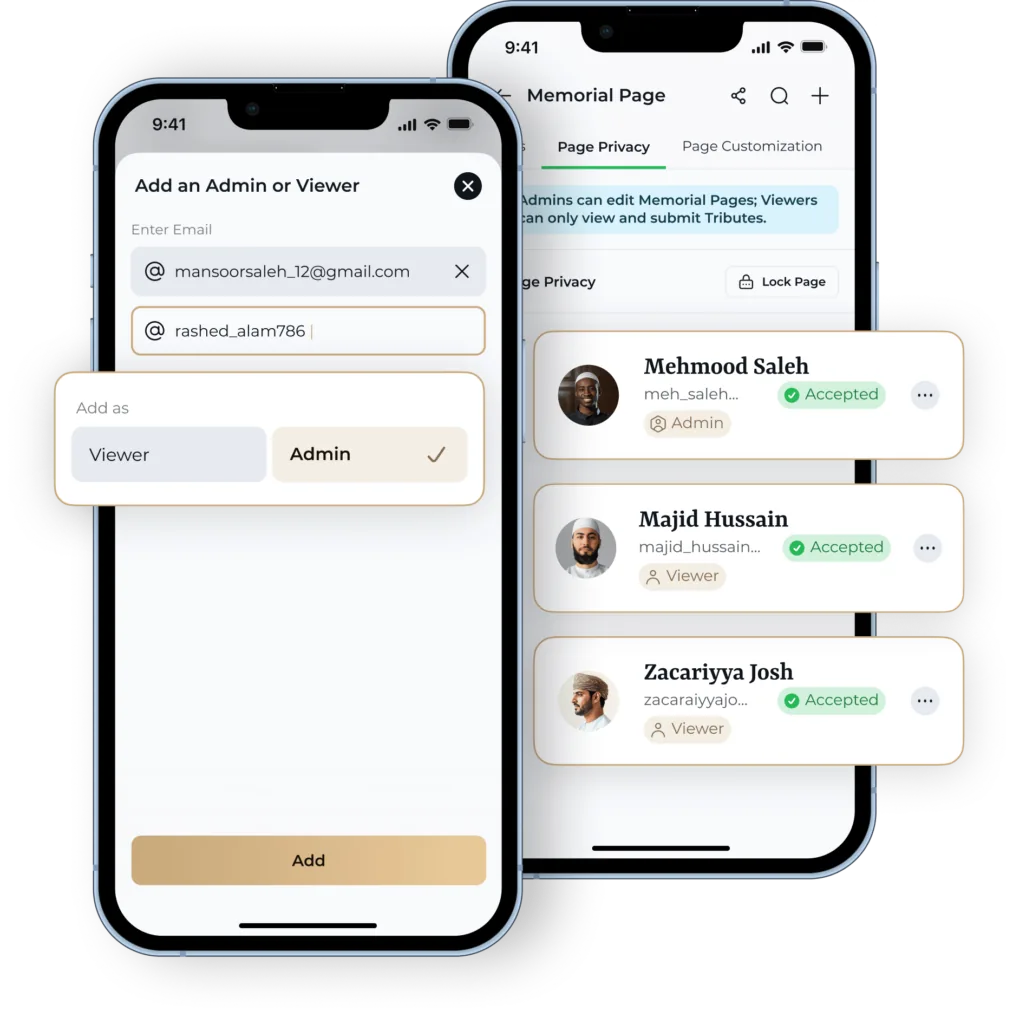
Yes. A scannable plaque does not have to mean a public page. With Moments by QR a memorial can be public, public with role and access controls, or private and PIN-protected — so a stranger who scans the plaque sees only what the family allows.
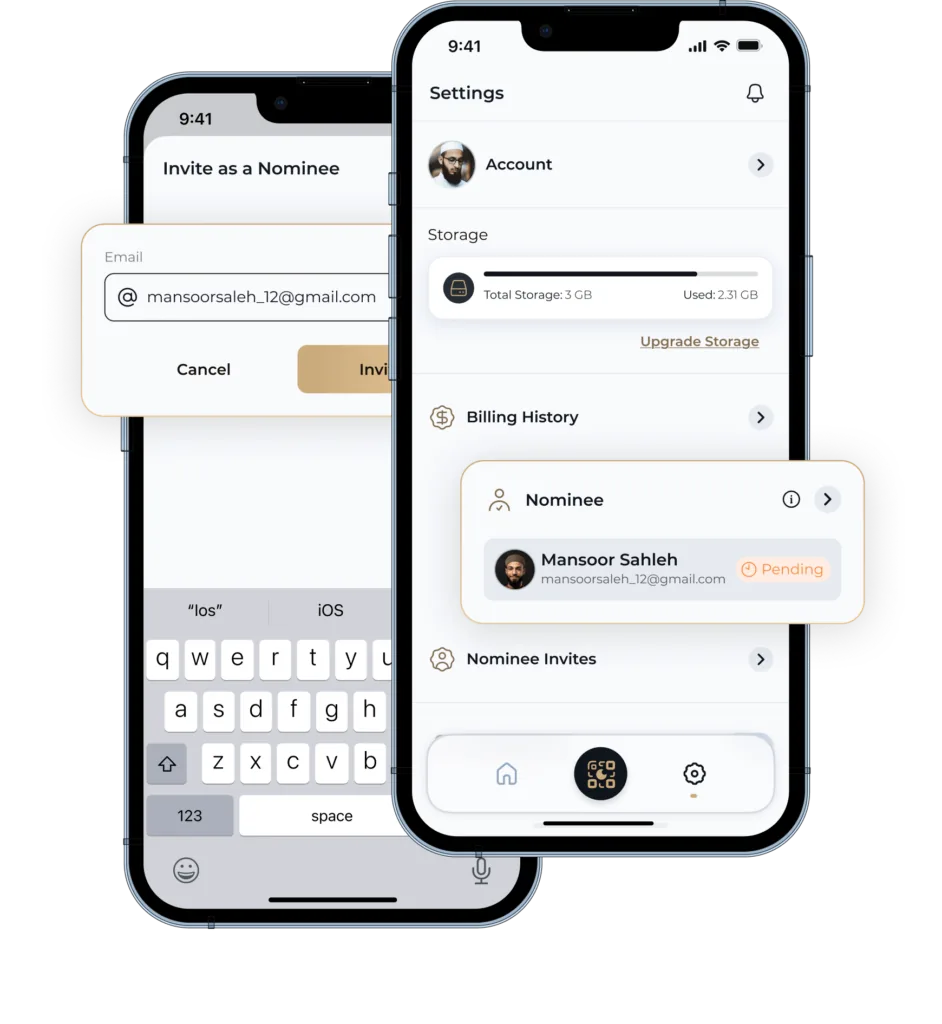
Access is shared through the Owner, Delegate, Contributor and Nominee roles. Worth thinking through before you choose any provider: what to ask about privacy and family control.
A Moments by QR Memorial Page with the biography, timeline, gallery, family tree, tributes and grave location — and a QR plaque that opens it from the resting place.
Check with the cemetery or burial ground before fixing anything to a grave. Designed with Muslim families in mind — see what that means in practice.
Moments by QR states product facts about its own service from first-party product information, cites official primary sources for anything statutory or operational, and leaves questions it cannot evidence visibly unanswered rather than guessing.
The category page: what a memorial page contains and how families manage it.
The seven-step process from creating a memorial to remembering over time.
Who decides what may be placed on a grave, and what to ask before ordering.
The practical side: what a scan opens and why it is not a headstone.
A checklist of questions to ask before you commit to any memorial service.